
Introduction to UI Design
When you tap an app, scroll a website, or swipe on your phone you’re interacting with a User Interface UI Design. It’s the layer that connects humans and machines, making technology intuitive, efficient, and even delightful.
UI Design isn’t just about making things look good. It’s about creating interfaces that feel natural, guide users effortlessly, and communicate a brand’s story visually. From the moment you open Spotify to the way you adjust a thermostat on your smart home app, UI design shapes every interaction.
In 2025, UI design has become more dynamic, personalized, and intelligent than ever before. With the rise of AI-driven design systems, motion graphics, and context-aware experiences, the boundaries between humans and digital products continue to blur.
Understanding the Concept of User Interface
A User Interface (UI) is the visual and interactive part of a digital product the screens, buttons, icons, text, and microinteractions that users engage with. Think of UI as the “face” of the software, designed to help people achieve their goals quickly and pleasantly.
Modern UIs combine psychology, visual design, and technology to create experiences that don’t just work but feel right. It’s where art meets logic.
Why UI Design Matters in Today’s Digital Era
The average person interacts with over 50 digital interfaces per day, from mobile apps to car dashboards. A poorly designed UI can frustrate users, while a great one can boost trust, conversions, and brand loyalty.
In fact, 75% of users judge a website’s credibility based on its design (Stanford Web Credibility Research). That’s why companies invest heavily in UI design, it’s a key competitive advantage.
Moreover, accessibility and inclusivity are no longer optional. A well-designed UI ensures that every user, regardless of ability or device, enjoys a seamless experience.
The Core Principles of UI Design
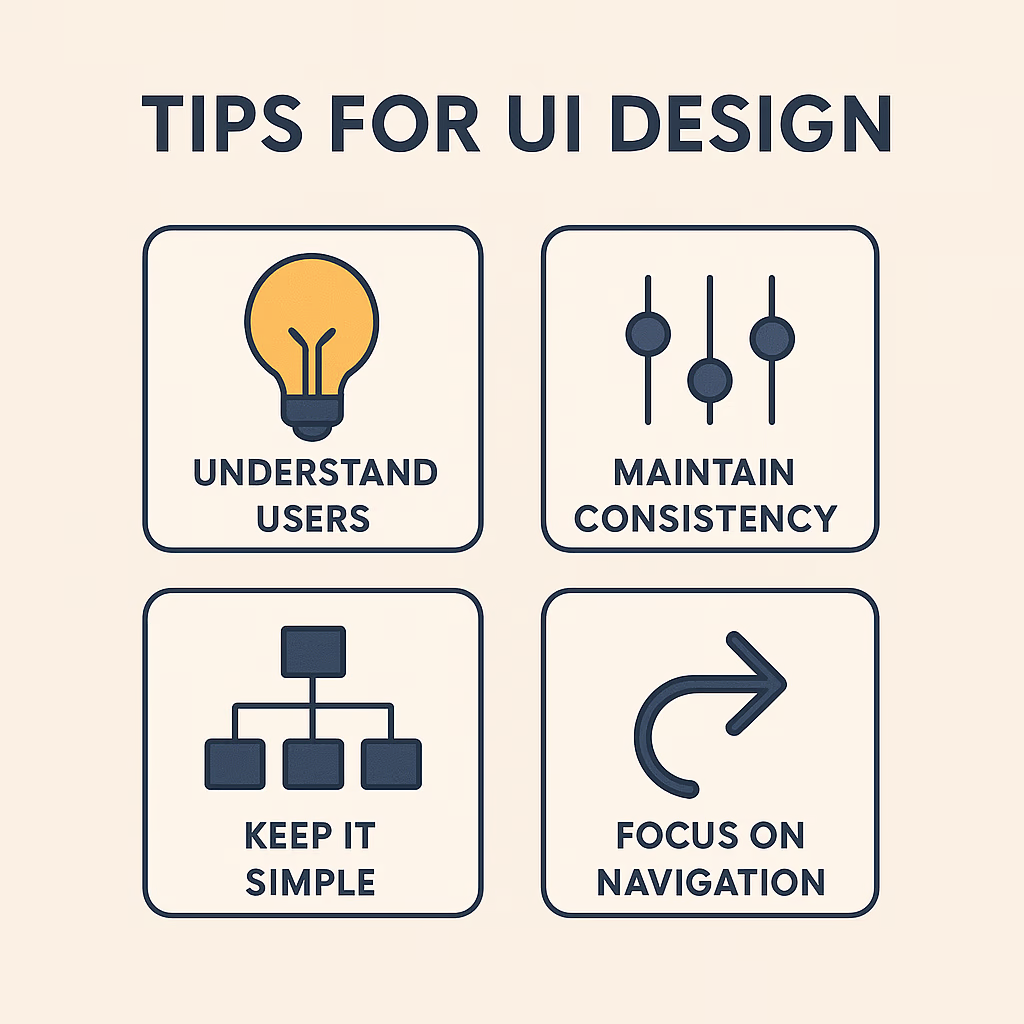
UI design is guided by timeless principles that ensure both usability and beauty. Let’s explore the essentials:
Simplicity and Clarity
The golden rule of UI: Don’t make users think. Every element should serve a purpose. Clean layouts, intuitive navigation, and concise copy help users achieve tasks effortlessly.
Consistency and Familiarity
Consistency builds comfort. Reusing colors, patterns, and UI elements across products creates familiarity, reducing cognitive load.
Feedback and Responsiveness
A well-designed UI responds to user actions whether through a loading spinner, button animation, or confirmation message. Feedback reassures users that their input has been registered.
Accessibility and Inclusivity
Designing for everyone means using high-contrast colors, readable typography, and keyboard-friendly navigation. Accessibility isn’t just good ethics; it’s good business.
The Difference Between UI and UX Design
Many confuse UI (User Interface) and UX (User Experience) but they’re distinct yet interconnected.
How UI Complements UX
UX defines how something works, UI defines how it looks and feels. Together, they create cohesive digital experiences.
Common Misconceptions Between UI and UX
While UX focuses on user flow, pain points, and functionality, UI focuses on visual hierarchy, aesthetics, and interactivity. A product can have great UX but fail if its UI feels outdated or confusing.
Elements of Great UI Design
Creating a remarkable UI involves more than just colors and buttons. It’s about orchestrating every detail to produce a smooth, satisfying user journey. Let’s break down the core components of exceptional UI design.
Visual Hierarchy and Layout
Visual hierarchy determines how users process information. It guides their eyes from the most important to the least important element.
Modern UIs use grid systems, white space, and contrast to establish hierarchy. For instance, large headings and bold colors attract attention, while subtle typography communicates supporting details.
Tools like Figma and Sketch help designers visualize hierarchy using responsive grids that adapt seamlessly to different screen sizes, a must in today’s mobile-first world.
Typography and Readability
Typography shapes tone and readability. A clean, legible font can make even complex content easy to digest. In 2025, UI designers often combine variable fonts with adaptive sizing, ensuring clarity across all devices. Sans-serif fonts like Inter, Roboto, and Poppins remain favorites for their modern, minimalist appeal.
Color Theory and Emotion
Colors evoke emotion, blue for trust, red for urgency, green for growth. Smart color usage enhances mood and directs attention.
Today’s UI designers embrace dynamic color systems that shift automatically between light and dark modes, creating seamless experiences for all lighting conditions.
Pro tip: Stick to accessible color combinations that meet WCAG (Web Content Accessibility Guidelines) for contrast ratios.
Buttons, Icons, and Microinteractions
These are the smallest yet most delightful parts of UI. A well-timed hover animation or a subtle button pulse can make users smile and engage longer.
Microinteractions not only guide users but also add life and character to static interfaces. Think of how the heart animation pops when you like a post on Instagram that’s UI magic in action.
The UI Design Process: Step-by-Step
Every great interface starts with a process. While the tools evolve, the core phases remain the same from understanding the user to polishing the final visuals.
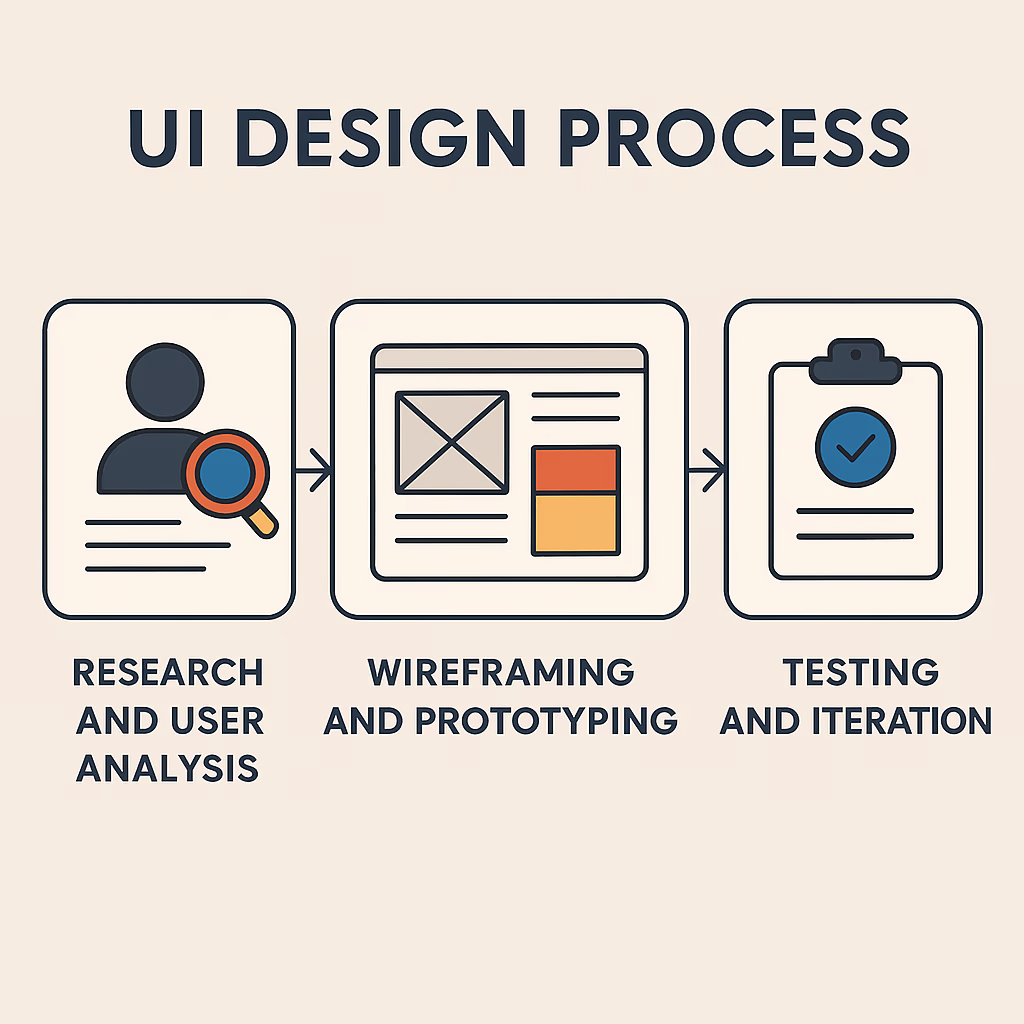
1. Research and User Analysis
Design begins with empathy. Before drawing a single pixel, designers study their audience who they are, what problems they face, and how they interact with technology. Techniques like user interviews, personas, and journey mapping uncover valuable insights.
2. Wireframing and Prototyping
Wireframes are the blueprints of a UI. They outline structure without color or detail, helping teams focus on layout and flow first.
Prototyping tools like Figma and Adobe XD enable designers to create interactive mockups that feel real, allowing for early testing and feedback.
3. Visual Design and Branding
Here’s where the product gets its identity colors, typography, logos, and brand imagery come together. Designers ensure consistency across all touchpoints to build recognition and trust.
4. Testing and Iteration
Even the best designs need refinement. A/B testing, usability sessions, and heatmaps reveal what works and what doesn’t. UI is a living system; continuous improvement keeps it relevant and user-friendly.
Popular UI Design Tools in 2025
UI designers in 2025 are spoiled for choice when it comes to tools. Let’s look at the top contenders shaping the field:
Figma: Collaborative Design in the Cloud
Still reigning supreme, Figma allows teams to co-design in real-time. Its AI-driven features now automate repetitive tasks like color palette generation, spacing alignment, and accessibility checks.
Adobe XD and Its Evolution
Adobe XD continues to thrive with deeper integration with Creative Cloud. Its prototyping features, combined with voice interface design, make it a strong choice for enterprise teams.
Sketch for Mac Designers
Although newer tools have challenged it, Sketch remains beloved for its simplicity and speed. It’s ideal for freelancers or solo creators who prefer offline workflows.
Emerging Tools: Penpot, Framer, and Uizard
- Penpot (open-source) is gaining traction among developers for its collaborative coding bridge.
- Framer is adored for interactive prototyping.
- Uizard uses AI to turn hand-drawn sketches into UI prototypes a glimpse into the future of design automation.
UI Design Trends in 2025
Every year brings new trends that reshape digital aesthetics. Here are the most influential UI design trends dominating 2025:
Minimalism and White Space Mastery in User Interface Design (UI)
Less is more a timeless mantra. Modern UIs focus on clarity, breathing space, and simplicity. User Interface Design (UI) Designers are stripping away visual clutter and focusing on core actions.
Neumorphism and Glassmorphism in User Interface Design (UI)
Soft shadows, depth effects, and translucent layers are back User Interface Design (UI) but in moderation. Glassmorphism is especially popular in fintech and productivity apps for its futuristic vibe.
AI-Assisted UI Design
AI now acts like a design partner, suggesting layouts, testing accessibility, and predicting user needs. Tools such as Figma’s Smart Design and Uizard AI are transforming in User Interface Design (UI).
Motion Design and Interactive Animations
Static pages are fading. Subtle motion effects like hover animations, transitions, and scrolling illusions make experiences feel alive.
Dark Mode and Customizable Interfaces
With device screens becoming more adaptive, users now expect control. Custom themes, dark modes, and dynamic contrast are the norm, not the exception.
How AI is Transforming UI Design
Artificial Intelligence is not replacing designers, it’s amplifying their creativity.
Intelligent Design Suggestions
AI can analyze millions of design systems to recommend colors, fonts, and layouts that fit brand personalities. Imagine Figma suggesting button shapes based on emotional tone, that’s already happening.
Automated Accessibility Testing
AI tools can instantly flag contrast issues or poor font readability, making accessibility compliance effortless.
Predictive Personalization in Interfaces
Smart UIs now adapt in real time adjusting layouts based on user behavior, preferences, and even mood. The result? Interfaces that feel personal, almost human.
The Role of UI Designers in Modern Teams
UI designers are now strategic partners, not just visual stylists.
Collaboration with UX Designers and Developers
They work hand-in-hand with UX designers to ensure form meets function. Close collaboration with developers ensures that designs are pixel-perfect in implementation.
Communication Skills and Design Thinking
Modern designers must articulate decisions clearly explaining why a layout works, not just how it looks.
The Rise of the “Product Designer” Role
Many UI professionals are evolving into Product Designers multidisciplinary experts who oversee both UI and UX from conception to execution.
Common Mistakes in UI Design (and How to Avoid Them)
Even experienced designers can stumble. Here’s how to stay ahead:
- Overcomplicating layouts: Keep navigation intuitive; clarity beats cleverness.
- Ignoring user feedback: Design is a dialogue. Regular testing is key.
- Poor color contrast: Always prioritize accessibility design for everyone.
Building a Career in UI Design
The demand for UI designers is skyrocketing. If you’re entering the field, here’s how to build your career strategically:
Essential Skills Every UI Designer Needs
- Proficiency in design tools (Figma, Adobe XD, etc.)
- Understanding of color theory, layout, and typography
- Familiarity with UX principles
- Knowledge of front-end basics (HTML, CSS)
Certifications, Portfolios, and Networking
Platforms like Coursera, Interaction Design Foundation, and Google UX Design offer credible certifications. Build a strong portfolio that showcases your thought process, not just visuals.
Freelancing vs. In-House Design Jobs
Freelancers enjoy flexibility, while in-house roles offer stability and team collaboration. Many designers now work hybrid, part freelance, part product-based.
Future of UI Design Beyond 2025
The horizon of UI design is incredibly exciting. Here’s where the industry is heading:
Voice and Gesture Interfaces
Interfaces are moving beyond touch. Designers are exploring voice-first experiences and gesture-based controls for AR/VR devices.
AR/VR and 3D Interfaces
Immersive environments will dominate the next decade. Expect UI designers to craft spatial interfaces that blend physical and digital spaces seamlessly.
Sustainable and Ethical Design Practices
Green design is rising, lightweight interfaces that consume less energy and respect user privacy. Ethical design isn’t just a trend; it’s the new standard.
FAQs About UI Design
1. What exactly is UI design?
UI design focuses on the visual and interactive aspects of digital products, including layouts, colors, typography, and microinteractions.
2. How is UI different from UX?
UI deals with how a product looks, while UX focuses on how it feels and performs functionally.
3. What tools do UI designers use in 2025?
Top tools include Figma, Adobe XD, Sketch, and Framer, with new AI-powered platforms emerging rapidly.
4. Is coding necessary for UI designers?
Not mandatory, but basic HTML and CSS knowledge helps designers communicate better with developers.
5. How do I start a career in UI design?
Begin with design fundamentals, study color and typography, and build a strong portfolio with real-world projects.
6. What are the current UI trends?
AI-assisted design, minimalism, motion graphics, and customizable dark modes are major trends in 2025.
The Evolving World of UI Design
UI design continues to evolve at lightning speed, blending creativity, psychology, and technology into seamless digital experiences.
As AI, AR, and voice interfaces rise, designers must balance innovation with human empathy. The future of UI isn’t just about pixels, it’s about creating meaningful connections between people and technology.
“Good design is invisible, but it changes everything.”